Professional-looking designs can help a business, creator, teacher, student, or online seller communicate more effectively. However, many beginners assume graphic design requires expensive software, advanced technical skills, or years of training. Canva changes that experience by making design more accessible through templates, visual editing tools, and simple drag-and-drop workflows.
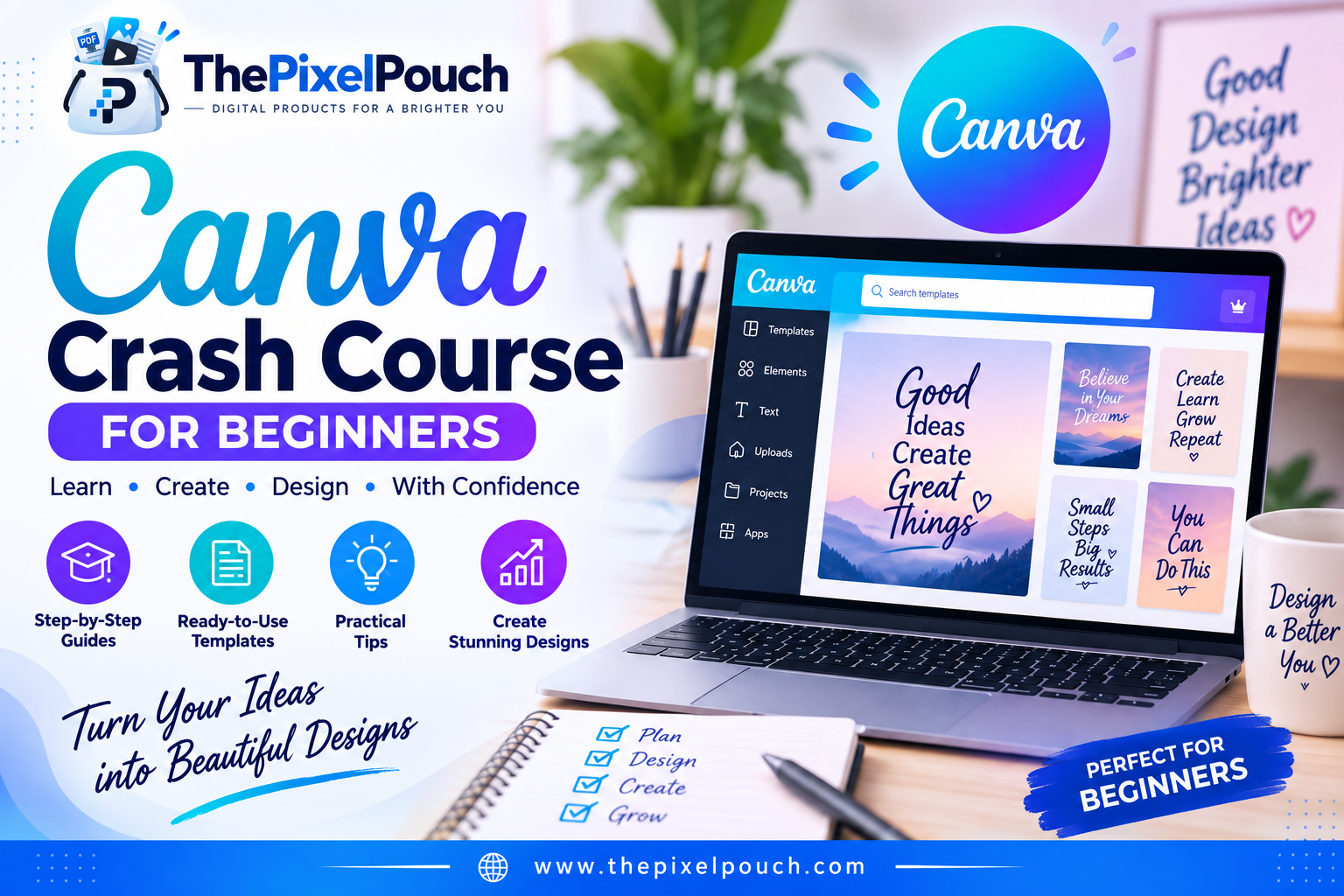
If you are searching for a Canva course for beginners, you may want a clear path that helps you move from opening the platform for the first time to creating useful, polished designs. The Canva Crash Course: Complete Beginner to Pro Guide from The Pixel Pouch is designed to help beginners learn Canva quickly and apply their skills to real projects.
Explore the Canva Crash Course for Beginners
What Is Canva?
Canva is an online visual design platform used to create social media graphics, presentations, posters, videos, worksheets, logos, websites, digital products, and other visual content. Its template-based workflow allows beginners to start with a professionally structured design and customize the text, colors, images, fonts, and layout.
Canva’s official beginner resources explain that users can browse templates, search for design elements, upload their own media, customize typography, collaborate with others, and download or share completed designs . These features make Canva useful for both personal projects and business content.
Why Learn Canva as a Beginner?
Learning Canva can help you create content independently instead of relying on a designer for every small visual task. It can also make your workflow faster when you need to publish regularly.
| Canva skill | How it can help you |
| Template customization | Create polished designs without starting from a blank page |
| Typography and color selection | Make content easier to read and more consistent |
| Image and element editing | Add visual interest to posts, presentations, and products |
| File export | Prepare designs for digital sharing or printing |
| Brand consistency | Use repeatable colors, fonts, and layouts across your content |
| Content creation | Produce graphics for social media, websites, shops, and email marketing |
Canva’s Design School describes its beginner course as covering navigation, template customization, searching, photo editing, elements, typography, collaboration, and downloading . These fundamentals are valuable because they support almost every common Canva project.
Who Can Benefit from a Canva Course for Beginners?
The Canva Crash Course is suitable for people who want practical design skills without a complicated learning curve. It can be especially useful for the following audiences.
Content creators
Content creators can use Canva to design thumbnails, social media posts, story graphics, quote cards, media kits, and promotional materials. A repeatable template workflow can make it easier to publish consistently.
Small business owners
Small business owners can create menus, flyers, price lists, promotional graphics, business presentations, and branded social media content. Learning to make basic assets in-house can reduce delays when a quick update is needed.
Students and teachers
Students and teachers can use Canva for presentations, worksheets, classroom resources, posters, certificates, and educational handouts. The visual format can make information more engaging and easier to organize.
Digital product sellers
Digital product sellers can create workbooks, planners, checklists, lead magnets, social media templates, and product previews. Canva skills are particularly useful when the business depends on creating and updating digital assets.
Etsy shop owners and social media managers
Etsy sellers and social media managers often need a steady supply of attractive graphics. A structured Canva workflow can help them produce listings, promotional designs, content calendars, and campaign visuals more efficiently.
What You Learn in The Pixel Pouch Canva Crash Course
The Canva Crash Course: Complete Beginner to Pro Guide combines tutorials, a beginner-friendly guide, templates, and practical business resources. The product page lists the following components:
Easy-to-follow Canva video tutorials
The video tutorials introduce Canva tools, features, layouts, and real design workflows. Video learning can be helpful for beginners who prefer to watch each step before trying it themselves.
A simplified Canva beginners guide
The guide explains how to start a design, choose and customize templates, work with fonts and colors, and export high-quality projects. These fundamentals create a practical foundation for future design work.
Public-view Canva template access
The course includes access to a public-view Canva template for practice. Studying and customizing an existing layout can help beginners understand spacing, hierarchy, alignment, and visual structure.
Digital business checklist bonus
The included checklist helps learners organize the early steps of starting or managing a digital business. It can be used as a simple reference while preparing products, content, or marketing tasks.
Small business planner bonus
The planner helps users organize goals, tasks, and growth strategies. Combining design training with planning resources can make it easier to turn new Canva skills into consistent business action.
7 Things You Can Create After Learning Canva
A beginner Canva course becomes more valuable when you apply it to practical projects. Here are seven useful design categories to explore:
1.Social media posts: Create branded posts, announcements, quote graphics, carousel slides, and story designs.
2.YouTube thumbnails: Build clear, high-contrast visuals that communicate a video’s topic quickly.
3.Business flyers: Promote services, events, offers, workshops, and product launches.
4.Digital planners and checklists: Design printable or digital resources for personal and business use.
5.Presentations: Organize ideas into visually consistent slides for school, work, or client meetings.
6.Etsy product graphics: Create listing images, mockups, banners, and promotional content for an online shop.
7.Brand assets: Develop simple brand boards, profile images, cover graphics, and reusable marketing templates.
How to Learn Canva Faster
Start with one specific project rather than trying to master every Canva feature at once. For example, choose a social media post or a simple flyer and complete it from start to finish. This gives you a clear reason to learn the editor’s main tools.
Next, customize an existing template. Change the text, font pairings, color palette, images, and spacing while keeping the overall structure. This is a practical way to understand how design elements work together.
Finally, create a small personal template library. Save layouts that fit your brand or recurring content needs, then adapt them for future projects. Over time, this approach can reduce design time and improve visual consistency.
Common Canva Mistakes Beginners Should Avoid
New users often add too many fonts, colors, icons, or decorative elements to one design. A stronger approach is to select a limited color palette, use readable type, and leave enough empty space around important information.
Another common mistake is treating every template as final. Templates are starting points, not substitutes for clear communication. Replace generic text and images with content that matches your audience, purpose, and brand.
It is also important to review your design before exporting. Check spelling, alignment, image quality, margins, and the file format required for its final use.
Is the Canva Crash Course Worth It?
The Canva Crash Course is a practical option for beginners who want guided instruction, templates, and business-focused bonuses in one downloadable learning bundle. It is especially relevant if you want to create content for social media, digital products, an online shop, education, or a small business.
The product page lists the regular price as ₹1,999 and the current sale price as ₹499. Pricing and availability can change, so review the product page for the latest offer before purchasing.
Final Thoughts
You do not need to be an experienced designer to start creating useful and attractive visual content. With the right beginner-friendly instruction, a template-based workflow, and regular practice, Canva can become a valuable skill for your personal projects, content strategy, career, or digital business.
If you want to learn Canva from scratch with tutorials, a beginner guide, template access, and business planning resources, explore The Pixel Pouch’s Canva Crash Course: Complete Beginner to Pro Guide.
Frequently Asked Questions
Is Canva suitable for complete beginners?
Yes. Canva is designed around visual editing, templates, and accessible design tools. A structured course can make the first steps easier by explaining the interface and showing how to complete common tasks.
Can I use Canva to create digital products?
Yes. Canva can be used to create planners, checklists, worksheets, workbooks, social media templates, presentations, and other digital resources. Always review the current licensing terms for the elements and assets you use.
Can this course help with social media design?
Yes. The skills covered in the course can support the creation of social media posts, promotional graphics, content templates, and other branded visuals.
Do I need previous graphic design experience?
No. The course is positioned for beginners and is intended to introduce Canva tools, templates, layouts, customization, and export workflows from the fundamentals.
Where can I purchase the course?
You can view the latest product details and purchase options on the Canva Crash Course product page.
Canva Crash Course for Beginners